Creating a flow from a template
Screen: AlphaFlow templates, address /flows/templates. It opens from the list of flows with
the From a template button, and from the page that introduces the section with Get started.
A template is a ready-made flow: the start event, the pauses, the exit and the texts in three languages. Pick one, adjust the text, try it on yourself and publish — that is the whole way to the first flow.
The ready-made flows
| Template | When it sends | Developer details |
|---|---|---|
| Order status | At once, every time the status of an order changes | Order status |
| Abandoned cart | Two hours after the last change of a cart without an order; nothing if the order is placed | Abandoned cart |
| Unpaid order | An hour after an order that has not been paid | Unpaid order |
| Appointment reminder | A day before the visit; nothing if the appointment is cancelled | Appointment reminder |
| Review request | One business day after an order is delivered | Review request |
| Reactivation | When a customer has not paid for anything for 60 days | Reactivation |
Every template sends a Viber message, and an SMS to those who have no Viber. Which events and properties your system has to send for each of them is on the developer pages linked in the table.
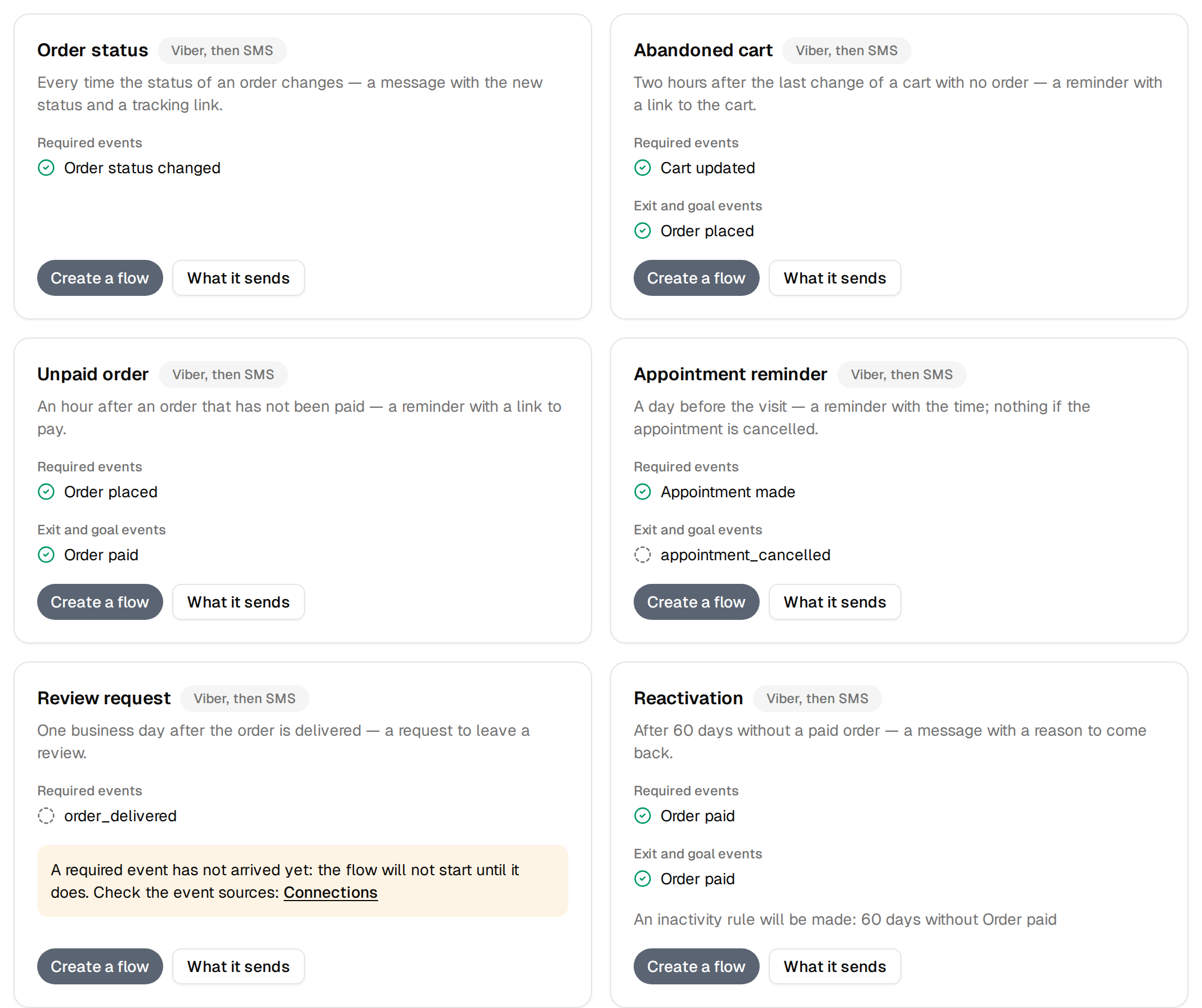
What a template card shows
- The channels — the badges under the name, for example "Viber, then SMS".
- When it starts and what it sends — one line in plain words.
- Required events — without them the flow never starts. Next to each: already received or not received yet. While a required event has not come even once, the card warns about it and leads to Connections, where the events are connected.
- Exit and goal events — without them the flow works, but it cannot let out those who have already done what it asks for, and its report cannot count the result.
- What it sends — opens the steps of the template and its texts, before anything is created.
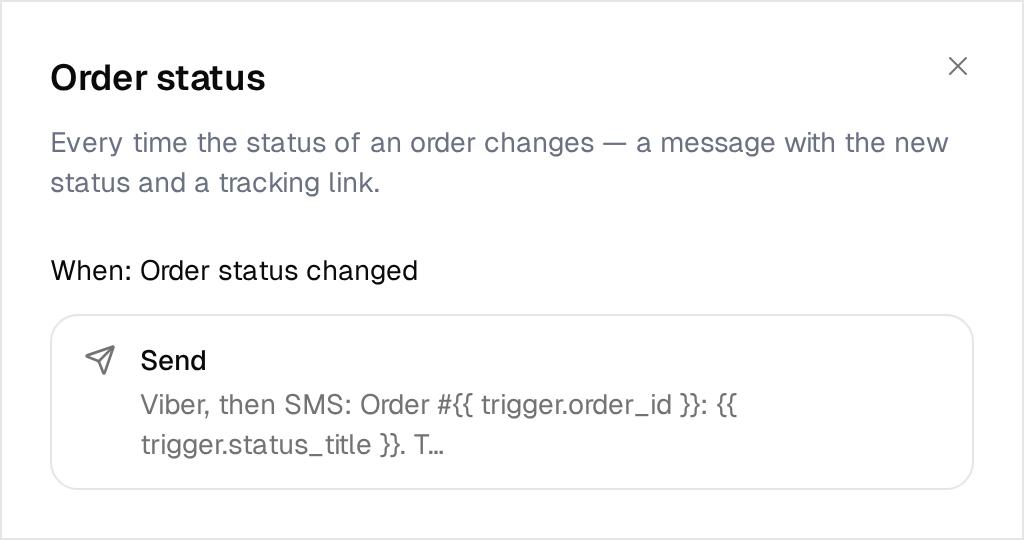
Creating the flow
- Press Create a flow on the card.
- The flow is created as a draft, and the editor opens. Nobody receives anything yet.
- Check the text and the sender name in the Send step — The «Send» step.
- Run a test on your own phone — Testing and publishing.
- Press Publish.
The texts of the draft come in the language of your cabinet. A template can be used more than once: every press of Create a flow makes one more independent flow.
Reactivation needs an inactivity rule — "60 days without a paid order". The card says that the rule will be made, and after creation the cabinet confirms it. The rule writes the start event of the flow for the customers who stopped buying; if the account already has the same rule, the flow uses it and no second one is made.
Marketing needs consent
Abandoned cart and Reactivation are marketing: they reach only those who agreed to receive offers, and only by the channels they agreed to. Without consent the message is skipped, and the report says why. Order status, unpaid order and appointment reminder are service messages and need no consent. Where consents come from — Consent to marketing in the developer section; consents of contacts already in your address books can also come with contact import.