Flows settings: quiet hours, frequency, senders, calendar and limits
Screen: Flows → Settings, address /flows/settings. Four sections: General,
Calendar (/flows/settings?view=calendar), Test contacts
(/flows/settings?view=test-contacts) and Audit log
(/flows/settings?view=audit).
The settings apply to all flows of the account at once, from the moment they are saved: nothing has to be published again. Every change is recorded in the audit log.
General
The general settings take effect after Save at the bottom of the form; Discard changes returns the saved values.
Time zone, language and country. The time zone and the language apply to contacts that have none of their
own; the days in the reports are counted in this time zone too. Phone country is a two-letter code (UA)
for numbers that come without the country prefix.
Quiet hours
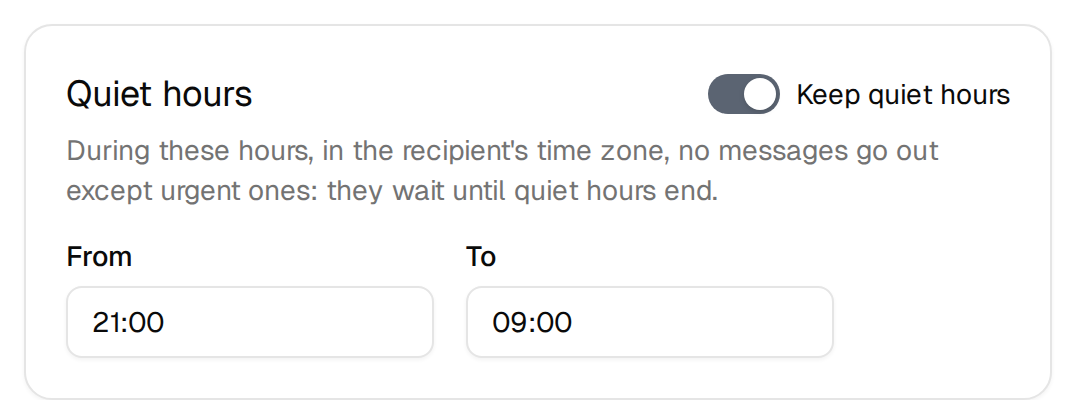
During Quiet hours no messages go out, by the recipient's time zone: they wait until the quiet hours end and go in the morning. By default the quiet hours are from 21:00 to 09:00; set your own From and To, or untick Keep quiet hours. Only a message marked urgent in its step goes during quiet hours — Message type.
Frequency cap
The most marketing messages one contact gets from all flows together: Messages, at most within Within days. When the cap is reached the message is skipped (Skip the message) or waits (Hold it and send later). Service messages and reminders do not count. A flow can also have a limit of its own — Frequency.
Default result
Default result is what counts as the result for flows without a goal of their own, for campaigns and for messages sent by API. Tick Count a result, pick the event — for example, a paid order — and the window: from 1 to 90 days after the message. The properties with the amount and the currency are optional: without them only the number of results is counted. A flow published without a goal of its own takes this result as its goal, and the publication says so.
Senders and UTM tags
- SMS sender and Viber sender — the default sender names for the steps where the name is left as "From the settings". Only names approved for the account can be picked — Sender names.
- utm_source and utm_medium — the tags added to every link in the messages; without
utm_mediumthe name of the channel is used.
Notes to a manager
Where the Note to a manager steps send their notes: an Email address, and the Sender account number — the account they are sent from. Without the address the publication of a flow with such a step warns that the note has nowhere to go.
Webhook signing
The secret with which the Webhook step signs its requests to your system (Webhook).
Issue a secret shows it once: copy it into your system, where it checks the X-Flow-Signature header.
Replace the secret issues a new one, and the old one stops working at once. Without a secret the requests go
unsigned. The card is seen by the owner of the account only.
Limits
How much of each limit is already used. The limits are set by the platform; to raise them, write to support.
| Limit | What happens when it is used up |
|---|---|
| Sends per day | Messages are not lost: they wait and go after the limit resets |
| Events per day | New events are refused until the limit resets; history loaded from a file does not count |
| Active flows | A new flow cannot be published until one of the working flows is stopped |
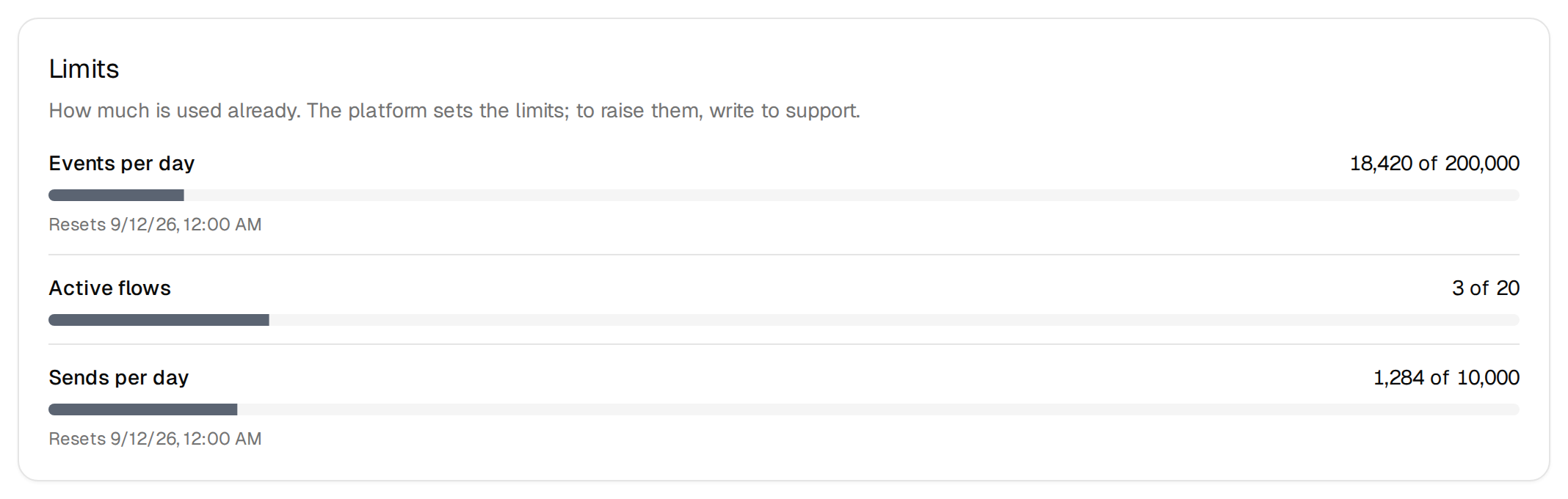
The daily limits reset at midnight in the account's time zone; the card shows when. Apart from these, the speed of the requests from your system is limited per event key: requests above it are refused, and your developer repeats them — Retries. More about limits for the developer — Limits and quotas.
Switching the section off
Switch the section off stops all flows from sending: every message that is due is skipped with the reason "Flows are switched off", with no errors. The flows, the contacts and the settings are kept, and the section can be switched on again from the Flows item. Only the owner of the account, or of the company, can switch it off. If the platform keeps the section switched on for your account, the card says so, and it cannot be switched off here.
Calendar
The calendar of business days, by which the Business days pauses are counted (Wait).
- Weekend days — the days of the week that are not working days; at least one has to stay a working day.
- Holidays — non-working days even on a weekday. Add a date and a name with Add holiday; the list is kept per year, and the arrows switch the year.
Test contacts
Test runs are sent to these contacts only, and working flows skip them, so your own phone does not get your customers' messages. Add a test contact: pick the Identifier — a phone, an e-mail or an external id — and enter the Value. If there is no such contact yet, it is created.
Removing the mark does not delete the contact: it stays among the contacts, and working flows no longer skip it. How to run a test — Test run.
Audit log
Who changed what and when: flows (created, draft saved, version published, paused, resumed, stopped, test started), the settings, the calendar, test contacts, the stop list, erased contacts, event types and event keys. Each line shows the time, the author, the action, the object and what it Was → became; the log is filtered by period and author. The texts of drafts and the keys themselves are not in it.
The audit log is seen by the owner of the account only.