AlphaFlow contacts: a customer's card, timeline and stop list
Screen: Flows → Contacts, address /flows/contacts; the card of one contact —
/flows/contacts/<number of the contact>.
The contacts of flows are not your address books. A contact appears by itself when an event about this person arrives, and it collects everything the flows know: the identifiers, the fields, the consents and the whole history. This screen is where you answer a customer's "why didn't I get the message" without writing to support.
Finding a contact
Type into Find a contact a phone number in any notation (067 123-45-67 finds +380671234567), an e-mail
address, an external id from your system or a contact number, and press Search. Usually one contact is
found, or none.
A contact is also opened from the event journal and from the lists of contacts in the flow report.
The card
- Identifiers — the phone, the e-mail, the external id and the contact number. Events find the contact by any of them.
- Fields — what your system sent about the person (name, city, tier) and what the Update a field step wrote.
- Consents by topic — Granted or Revoked, by channel and topic, with the source and the time.
- Test and On the stop list — the marks of the contact.
- Last seen, Created, Language, Time zone — the language and the zone of the contact itself; without them the ones from the settings apply.
The timeline
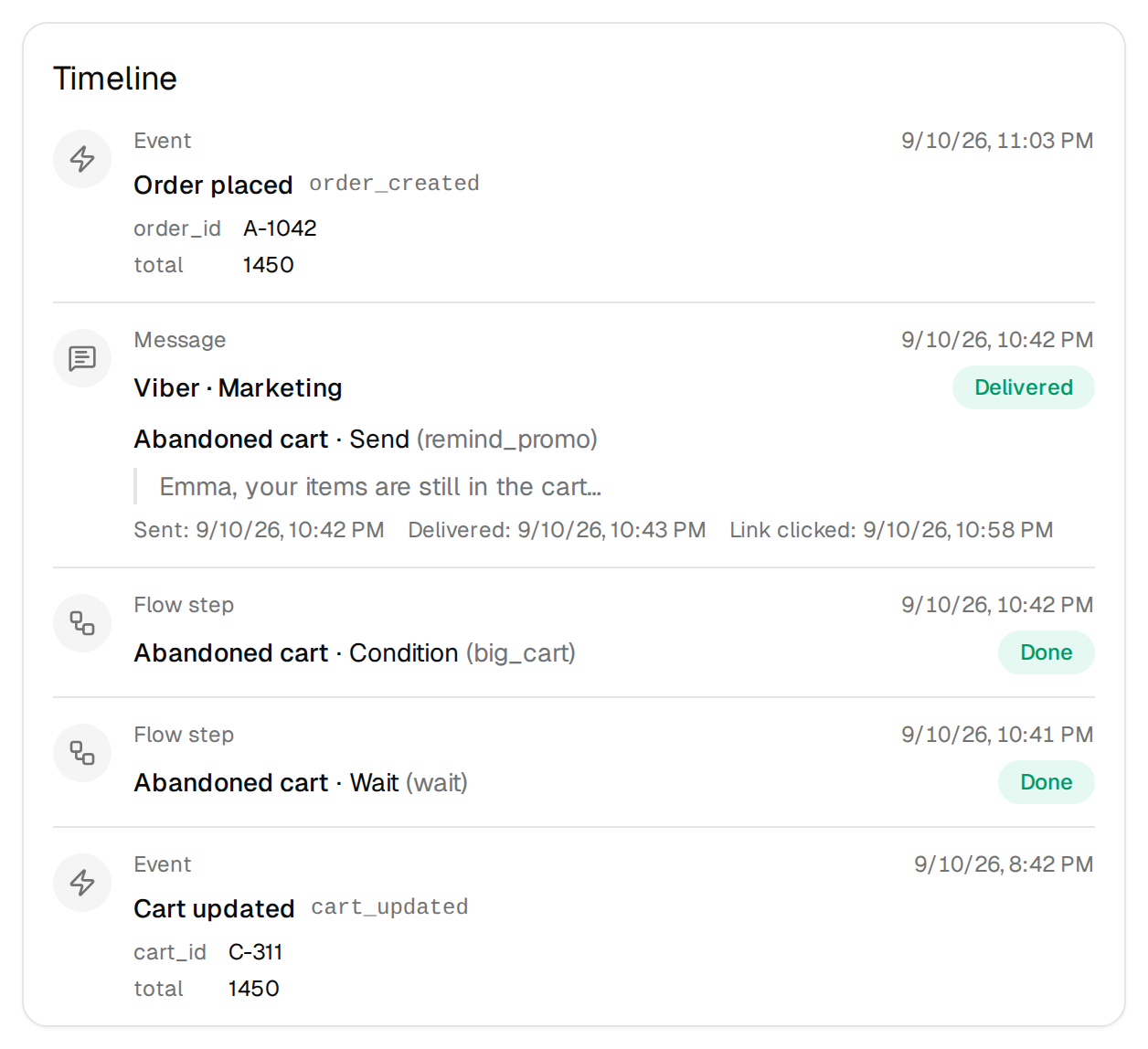
The Timeline is everything that happened to the contact, the newest first:
| Line | What it shows |
|---|---|
| Event | An event and its properties. "From history: started no flows" — an event from an imported file |
| AlphaFlow step | A step the contact passed: Done, Skipped, Held, Left the flow or Error. A skipped step shows Why it was not sent |
| Message | A message and its fate: Pending, Sent, Delivered, Failed or Not sent, the times of sending, delivery and the click, the error code. "Control group: not sent" — the contact was in the control group; "Test message" — a test run |
The skip reasons are the same as in the report — Why a message was skipped.
The stop list
Stop list shows the channels closed for the contact, and by which topics — or for all of them.
| Reason | Who can lift it |
|---|---|
| Unsubscribed | Only the recipient |
| Complained about the mailing | Only the recipient |
| Replied STOP | Only the recipient |
| The mail server refused the address | You — Lift |
| Closed by hand | You — Lift |
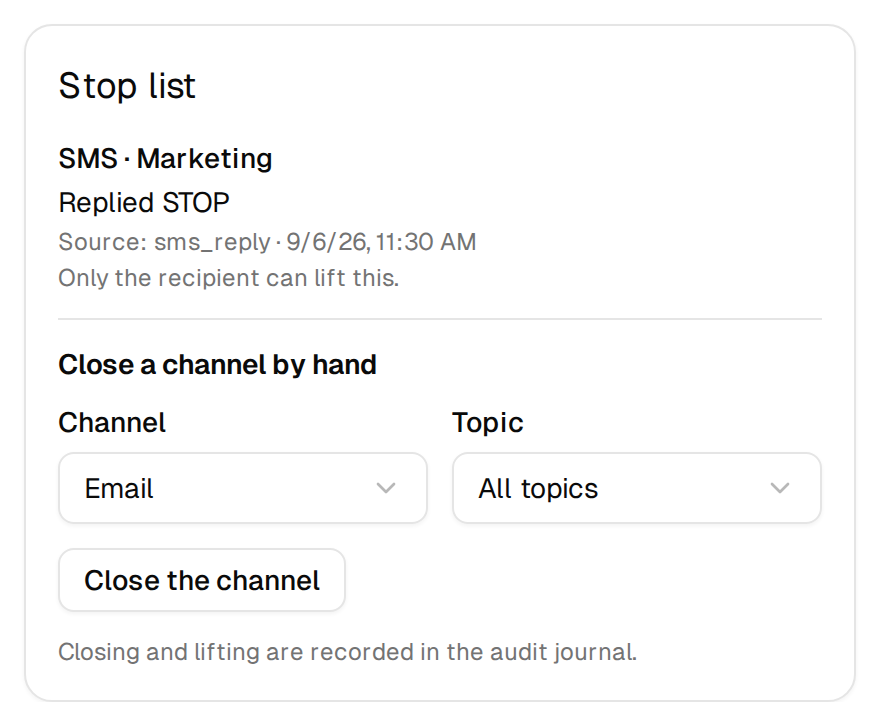
Close a channel by hand closes a channel for the contact — all topics or one: the contact stops getting these messages until the record is lifted. Use it when a person asks not to be written to by phone or in the chat. Closing and lifting are recorded in the audit log.
Erasing data on request
When a person asks to remove their data, the owner of the account presses Erase the contact's data in the card, in the Erasing data block. The action cannot be undone:
- the profile is made impersonal at once: the fields, the language, the time zone and the identifiers are gone, and the contact can no longer be found by phone or e-mail;
- the phone, the e-mail and the external id go into the stop list for all channels and topics, and nobody can lift this — it holds even if the same phone comes later with a new contact;
- no more messages go to this person, and the record "Data erased at the person's request" stays in the card;
- the rows of the journal are marked for cleanup; until the cleanup is switched on, the timeline still shows them.
Importing contacts
Import contacts loads people you already have, so that consents and fields are there before the first event. Contacts are created or updated by phone, e-mail or external id, so importing the same file again updates the same contacts. An import starts no flows and writes nothing into your address books.
| From | What happens |
|---|---|
| A CSV file | The first row names the columns; UTF-8 or Windows-1251, up to 2 MB. For every column pick where it goes: Phone, Email, External ID, First name, Last name, A contact field named after the column or Do not import. At least one column with a phone, an e-mail or an external id is needed; a contact has up to 50 fields, first and last name included |
| An address book of the cabinet | The phones and fields of a book become contacts; the book stays as it is. In a company, only the author of a book sees it. A book still in the archive has to be opened in the cabinet first — the import says so |
Marketing consent — tick The contacts agreed to get marketing messages only if they really did, and say Where the consent was given: A form on the website, A contract or the terms or Elsewhere with Details. The consent is set by the channels the contact has an address for, and only where the person has not decided yet: an earlier refusal stays a refusal, and the stop list is not lifted. Without consent the contacts get service messages and reminders only.
The import runs in the background; at the end it shows how many contacts were Created, Updated and Refused, and the refused rows with the reason: the phone or the e-mail is not recognised, or the row has no identifier at all.